Electronic flight computer

Your E6B, rebuilt for iPhone.

Real keys, a backlit LCD, and more than 40 functions for wind, altitude, fuel, trip planning and weight & balance. Pick a function, type the numbers, press ENTER.

  • Free download
  • No account
  • Works offline
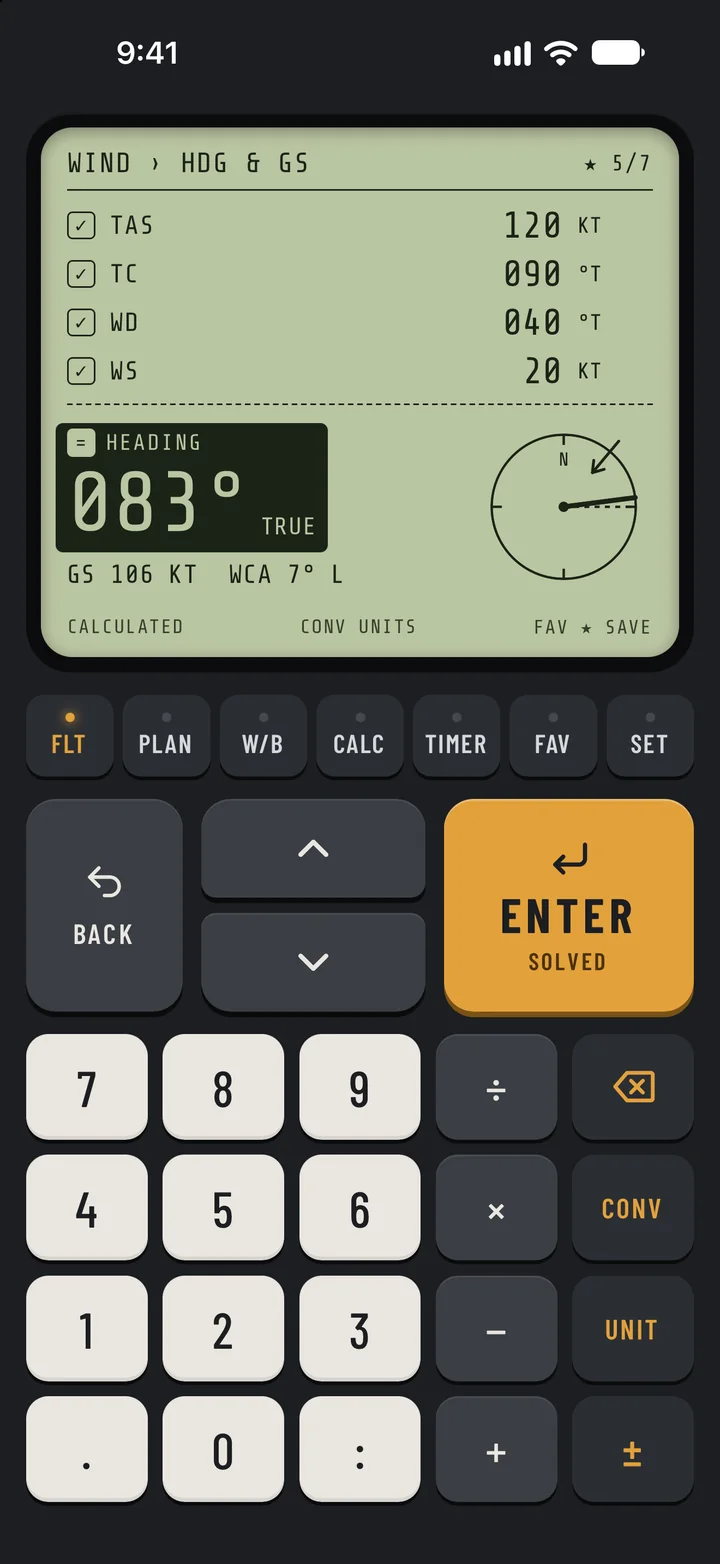
E6B Flight Calculator on iPhone solving heading and ground speed: a true heading of 083 degrees and 106 knots over the ground, with the keypad below the LCD.

Backlight

Re-lights this page

  • Flight functions27
  • Unit converters12
  • Backlights3
  • Accounts needed0
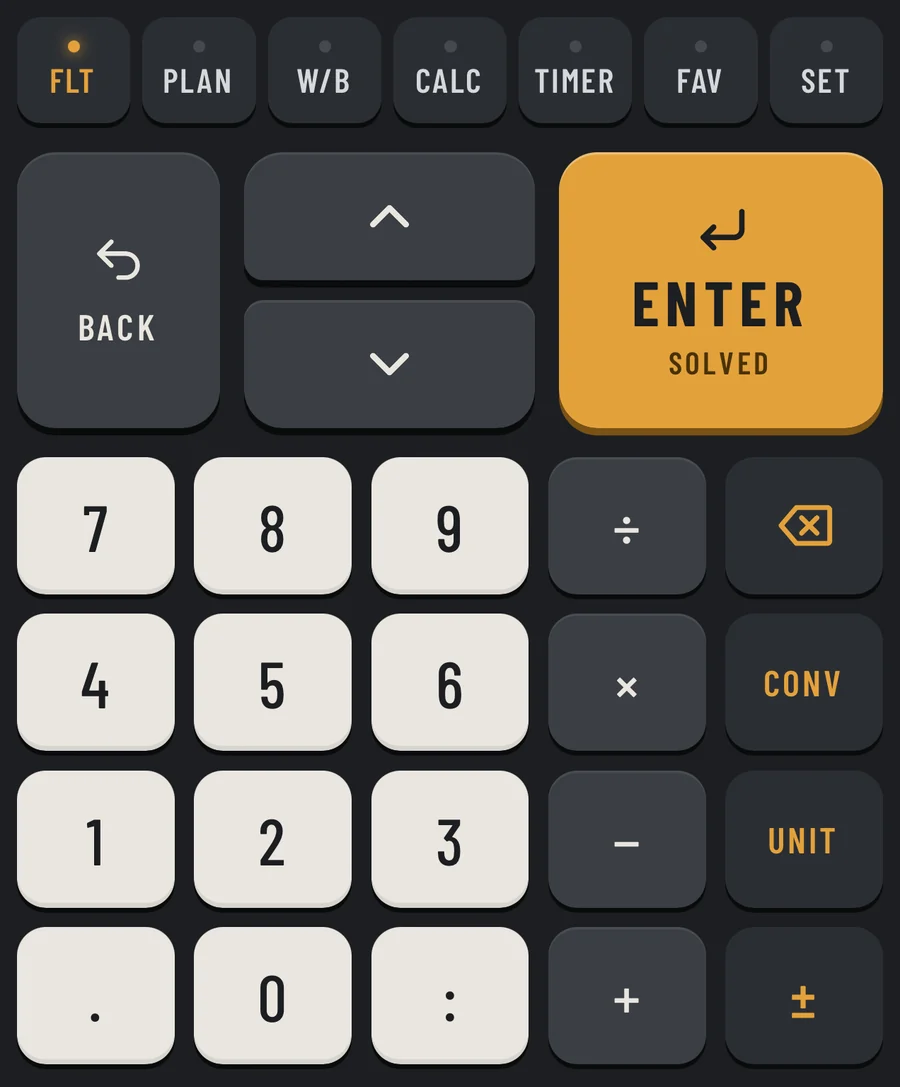
The keypad: mode keys along the top, BACK, up and down arrows and a large ENTER key, then digits, operators, delete, CONV, UNIT and plus-minus.

Keys › Feel

It feels like a real flight computer.

No forms and no sliders: a keypad and a display, with a key for every job. Every kind of key has its own haptic click, and a key that doesn't apply answers with a hard double buzz, so a mistake is felt, not just seen.

  1. A mode key for every job

    FLT, PLAN, W/B, CALC, TIMER, FAV and SET run along the top. Menu rows are numbered, so a digit jumps straight to one.

  2. Type, then press ENTER

    Every entry is checked. An out-of-range value is refused with a plain message on the LCD, such as RUNWAY IS 1–36.

  3. Any unit in any field

    CONV converts a value to the next unit, and UNIT relabels it. One setting switches the whole app to metric.

  4. Type it the way you say it

    1:45 for a time, D:MM for latitude and longitude, and math right in the field: 340+170 for two front seats.

LCD › Pictures

It shows the picture, not just the number.

Where a picture helps, the LCD draws one, so you can check an answer at a glance before you trust it.

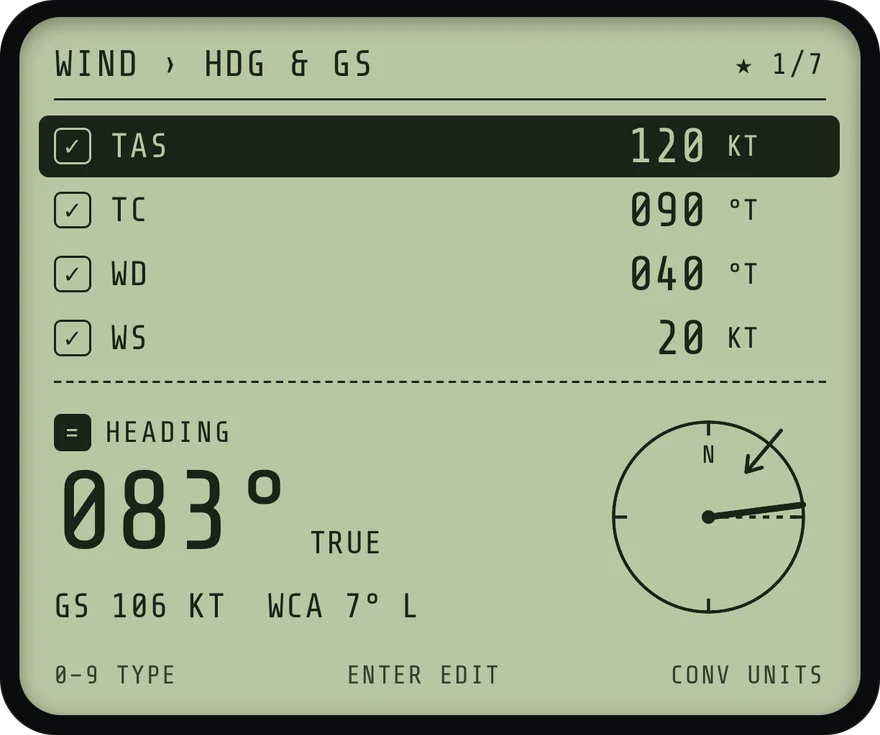
The LCD solving heading and ground speed: TAS 120 knots, true course 090, wind 040 at 20 knots, giving a true heading of 083 degrees, ground speed 106 knots and a wind correction of 7 degrees left, with the wind triangle drawn on a compass.

Wind › Hdg & GS

Solve the wind triangle.

TAS 120 kt, course 090°, wind 040° at 20 kt. Fly 083° at 106 kt, with the triangle drawn on a compass.

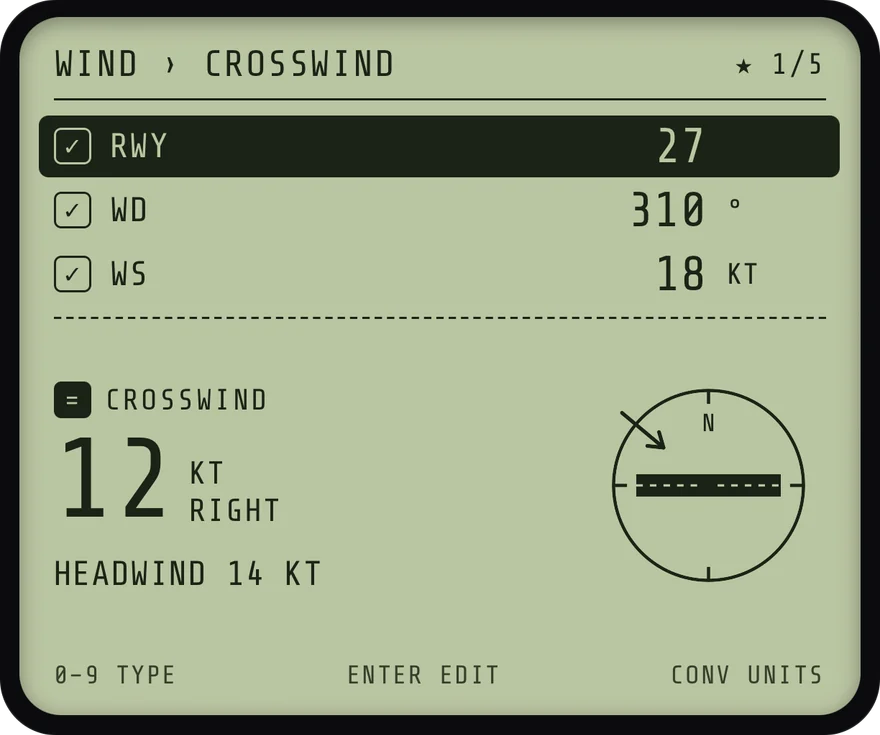
The LCD solving crosswind: runway 27, wind 310 degrees at 18 knots, giving a 12 knot crosswind from the right and a 14 knot headwind, with the runway and wind arrow drawn.

Wind › Crosswind

Know your crosswind before you line up.

Runway 27, wind 310° at 18 kt. 12 kt from the right and 14 kt of headwind, with the runway drawn.

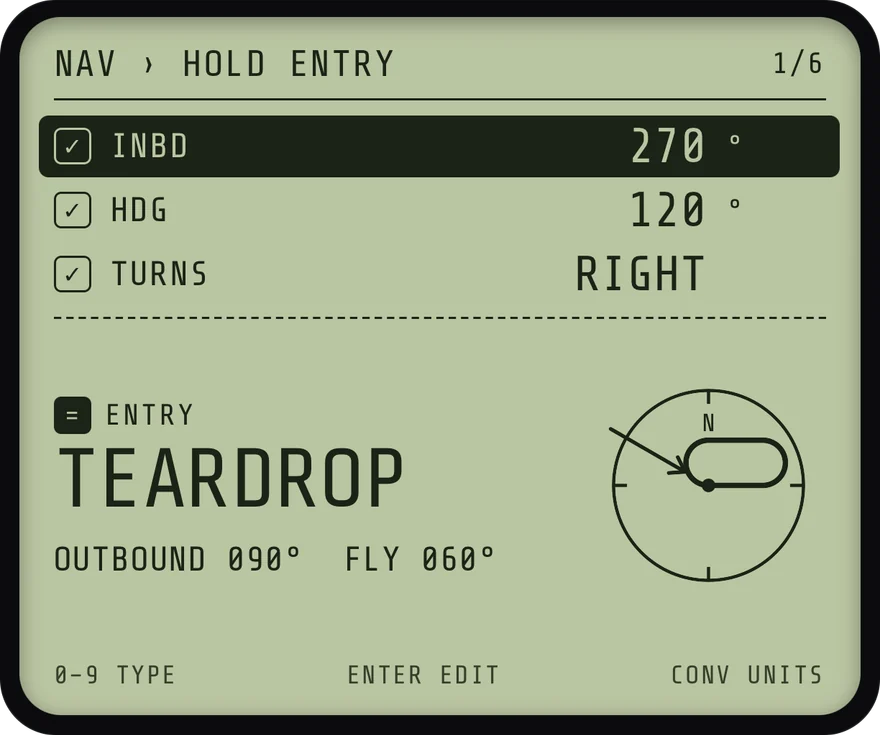
The LCD solving a holding entry: inbound course 270, heading 120, right turns, giving a teardrop entry with an outbound course of 090 and a heading of 060 to fly, with the holding pattern drawn.

Nav › Hold entry

Holding entries, drawn for you.

Inbound 270°, heading 120°, right turns. A teardrop entry: outbound 090°, fly 060°.

And with E6B Pro, your loaded CG drawn inside your aircraft's envelope. See E6B Pro

FLT › Functions

The classic E6B problems, and more.

27 flight functions in 9 groups, plus 12 unit converters, and every one of them is free. Pick a group, or press a digit to jump, just like in the app.

FLT · Functions

Wind

3 functions · Free

The wind triangle, from any side.

  • Heading & GS

    IN
    TAS, true course, wind
    OUT
    True heading, ground speed and WCA, drawn on a compass
  • Crosswind

    IN
    Runway, wind
    OUT
    Crosswind from the left or right, and the headwind or tailwind
  • Find Wind

    IN
    TAS, true course, true heading, ground speed
    OUT
    Wind direction and speed

And the tools you reach for between problems.

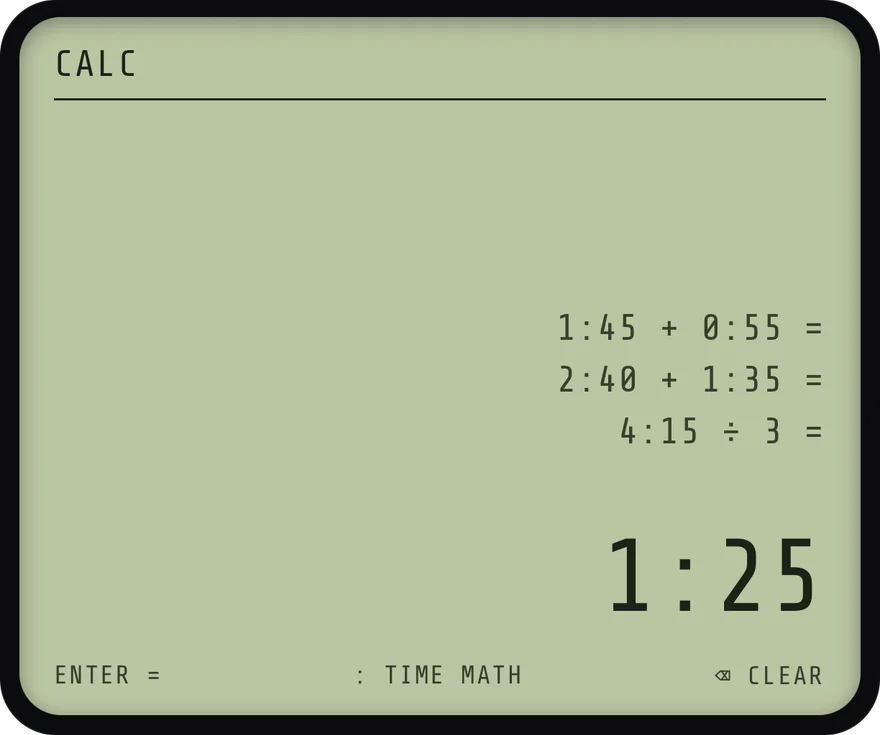
The CALC screen with a tape of time calculations: 1:45 plus 0:55, 2:40 plus 1:35, and 4:15 divided by 3, equal to 1:25.

Calc

A calculator that does time math.

Type times with the : key. 1:45 + 0:55 = 2:40, and a tape keeps your last three calculations.

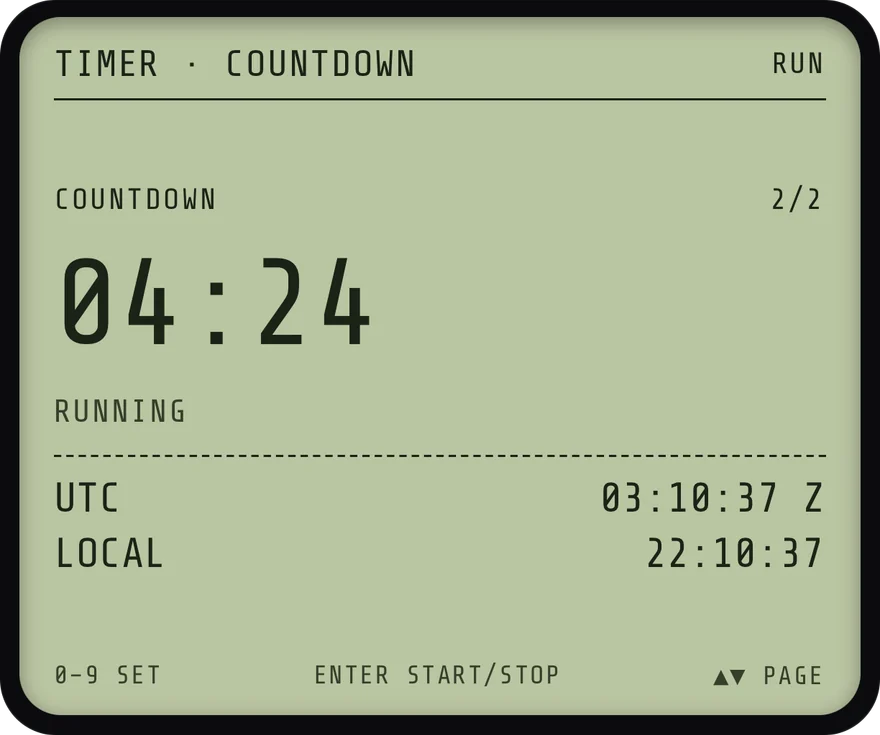
The TIMER screen running a countdown at 4 minutes 24 seconds, with UTC and local clocks below.

Timer

Timers with Zulu time.

A stopwatch with tenths, and a countdown that flashes the LCD at zero. UTC and local time on both.

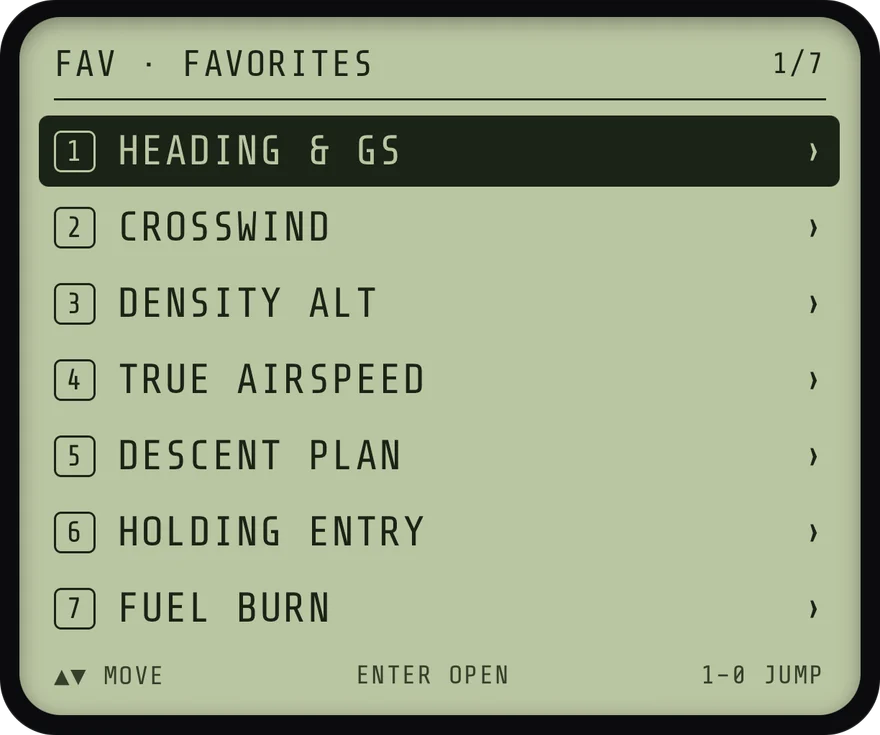
The FAV screen listing seven starred functions: Heading and GS, Crosswind, Density Alt, True Airspeed, Descent Plan, Holding Entry and Fuel Burn.

Fav

Your go-to functions, one key away.

Press FAV on any flight or W/B page to star it. Press FAV again to open the list.

E6B Pro

Plan the whole flight.

E6B Pro adds PLAN for trips and W/B for weight & balance. Everything else is free, and stays free.

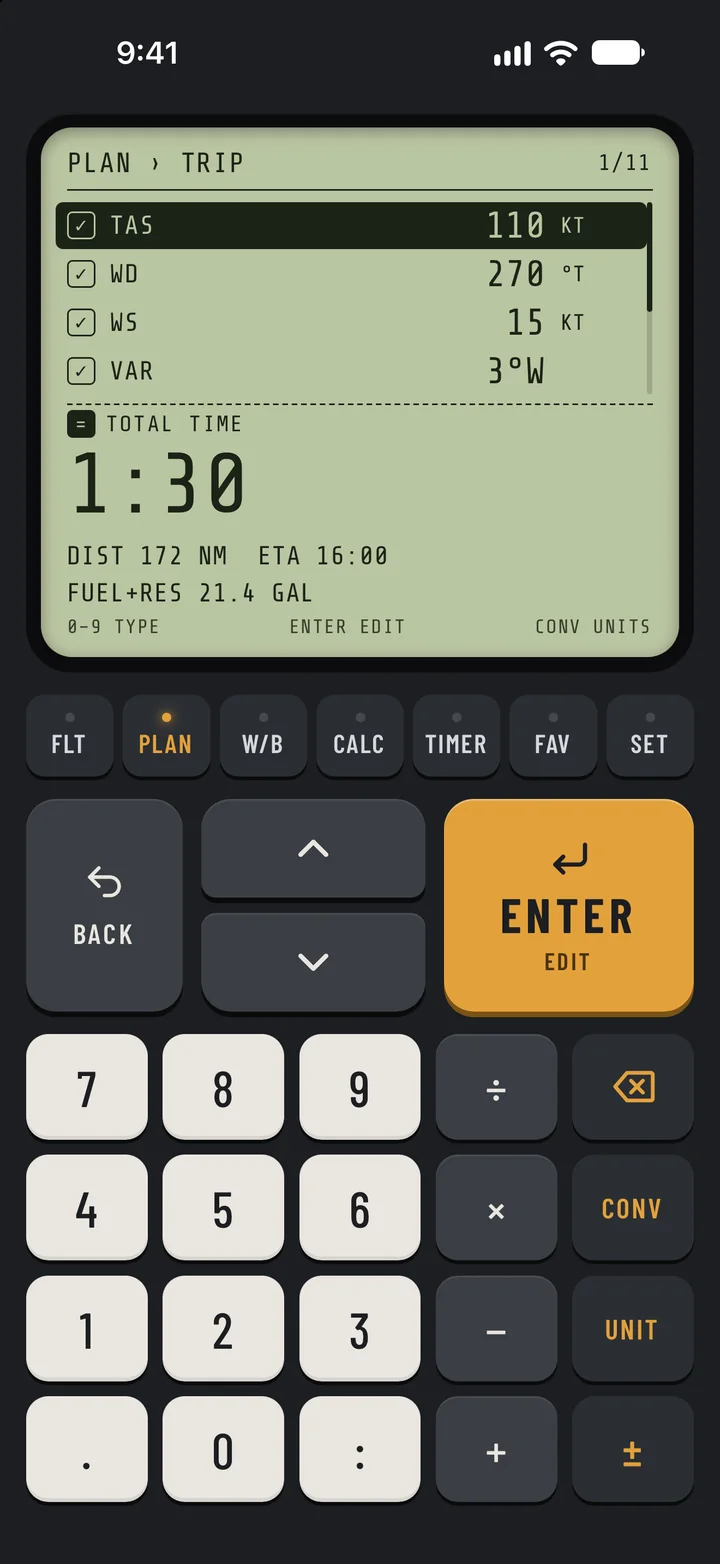
The PLAN trip screen: TAS 110 knots, wind 270 at 15, variation 3 degrees west, with a total time of 1:30, 172 nautical miles, ETA 16:00 and 21.4 gallons including reserve.

Plan

Plan the trip, leg by leg.

Set TAS, wind, variation, fuel flow, departure time and reserve once for the trip. Add legs with distance and course; a leg uses the trip's wind unless you give it its own.

  • Magnetic heading, ground speed, time and fuel for every leg
  • Total time and distance, ETA, and fuel with reserve
  • Add and delete legs, and see each one's distance and course at a glance
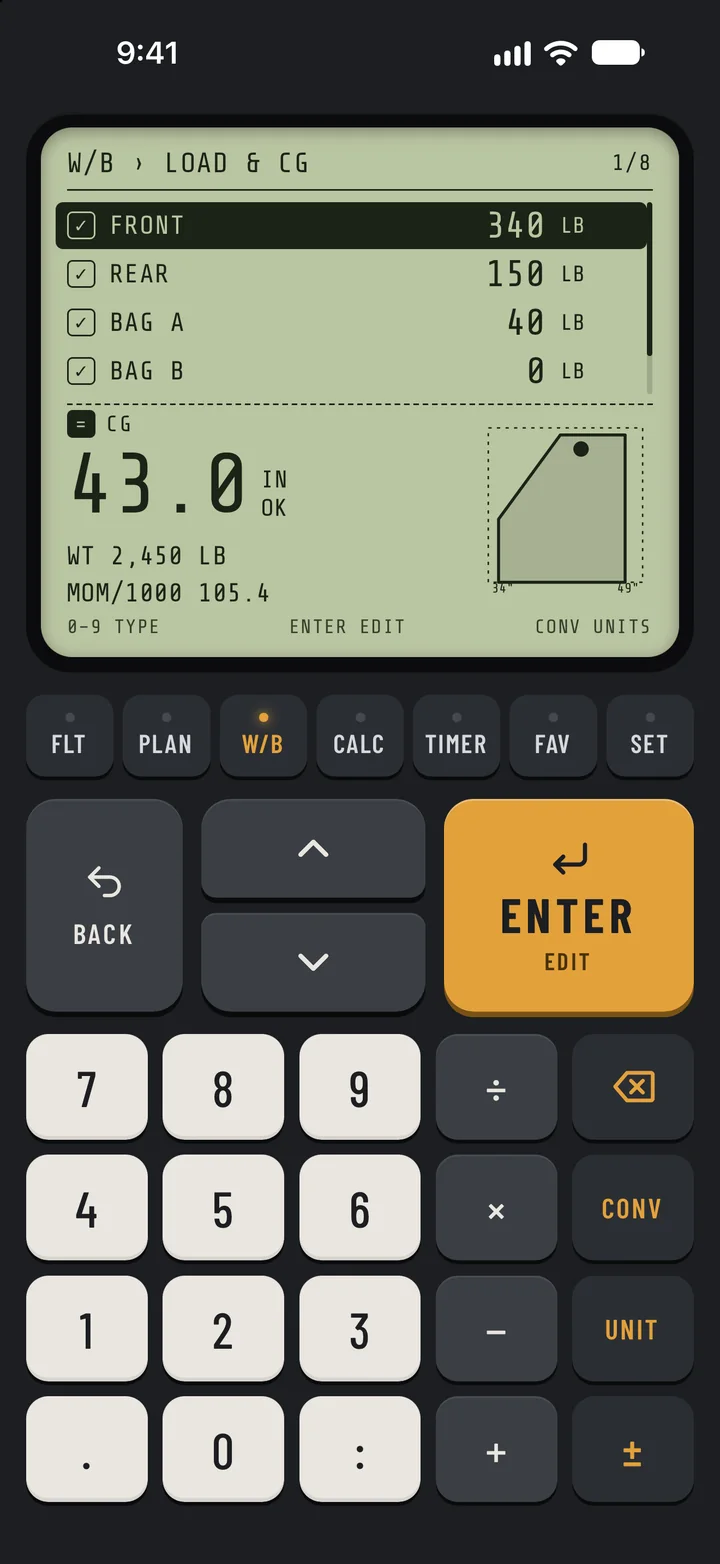
The W/B load and CG screen: front seats 340 pounds, rear 150, baggage 40, giving a CG of 43.0 inches marked OK, with the loaded point drawn inside the CG envelope.

W/B

Weight & balance for your aircraft.

Enter your aircraft's empty weight and arm, station arms, maximum gross weight and CG envelope once. Then load the seats, bags and fuel.

  • CG, total weight and moment, marked OK, FWD!, AFT! or HEAVY
  • The loaded point drawn inside your envelope
  • Weight shift and % MAC, and fuel weight for avgas or Jet-A

Pay once. Fly forever.

Or start a subscription with 7 days free.

  • Lifetime

    Best value

    $9.99once

    E6B Pro, for good

    A single purchase. No subscription.

  • Yearly

    $6.99a year

    7 days free

    Then $6.99 a year. Cancel anytime.

  • Monthly

    $2.99a month

    7 days free

    Then $2.99 a month. Cancel anytime.

Prices in US dollars; the App Store shows the price in your currency. Subscriptions renew automatically unless cancelled at least 24 hours before the trial or current period ends, in your Apple Account settings. If Pro ends, PLAN and W/B lock again, and your trip and aircraft stay saved.

What's free and what E6B Pro adds
IncludedFreePro
FLT: 27 flight functions and 12 unit convertersIncludedIncluded
CALC, TIMER, FAV and SETIncludedIncluded
PLAN: trip planning with legs and totalsNot includedIncluded
W/B: aircraft profile, load & CG, weight shift, % MACNot includedIncluded
Download on the App Store

Set › Backlight

Ready in any light.

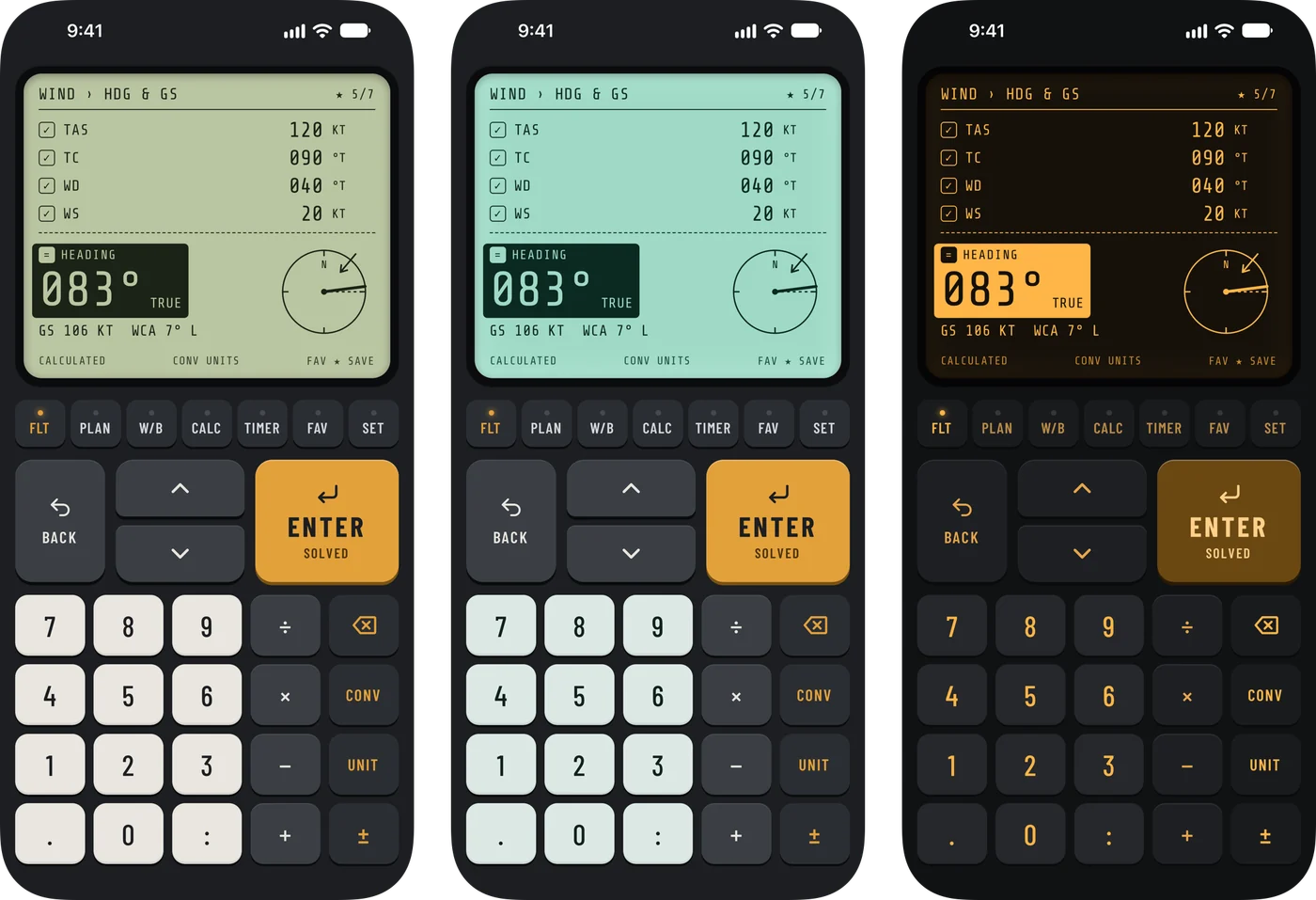
DAY, BACKLIT, and a dark amber NIGHT for flying after dark. The app remembers your choice, along with every value, leg, favorite and setting.

Backlight

Try them here

The same heading and ground speed screen in the DAY, BACKLIT and NIGHT backlights, side by side.

Private by design.

A flight computer shouldn't need to know who you are. This one doesn't ask.

  • No account

    Nothing to sign up for and nothing to log in to. Open it and start working problems.

  • Stays on your iPhone

    Every calculation runs on the phone, and your values, trips and aircraft profile are saved on it. There's no server to send them to.

  • Works offline

    No connection needed to calculate. Buying or restoring E6B Pro needs one.

  • No trackers

    No analytics or advertising SDKs. Apple handles payment, and RevenueCat checks your E6B Pro purchase.

The details are in our privacy policy.

FAQ

Fair questions.

Something else? Contact support or email [email protected] and we'll help.

Does it work without a connection?

Yes. Every calculation runs on your iPhone. You only need a connection to buy or restore E6B Pro.

Do I need an account?

No. There's no sign-up and no login. Open the app and start calculating.

What does E6B Pro add?

PLAN, for trips with legs and totals, and W/B, for weight & balance with your aircraft's CG envelope. The 27 flight functions, 12 converters, CALC, TIMER, FAV and SET are free.

How much is E6B Pro? Is there a free trial?

Lifetime is a one-time $9.99. The Yearly ($6.99) and Monthly ($2.99) plans start with 7 days free. Prices are in US dollars; the App Store shows the price in your currency.

What happens to my trip and aircraft if Pro ends?

PLAN and W/B lock again, but your trip and aircraft profile stay saved on your iPhone for when Pro is back.

What data does the app collect?

There's no account, and there are no analytics or advertising SDKs. The app doesn't ask for your name, email or location, and your values, trips and aircraft profile stay on your iPhone. To unlock E6B Pro, it uses RevenueCat, which receives an anonymous ID, your App Store purchase details and basic device information. The privacy policy has the details.

Can I use metric units?

Yes. One setting switches everything to metric, and any field can be converted on its own with CONV.

Can I enter my own aircraft?

Yes. W/B › AIRCRAFT PROFILE takes your empty weight and arm, maximum gross weight, station arms and CG envelope. One aircraft profile is stored.

Is it FAA-approved?

No. It's a planning and training aid. It doesn't replace your POH/AFM, official performance data or a weather briefing, and weight & balance is only as good as the numbers you enter.

Is there an iPad or Android version?

Not at the moment. It's made for iPhone, on iOS 15.1 or later.

Ready when you are.
Press ENTER.

Free on the App Store, for iPhone. E6B Pro from $2.99 a month, or $9.99 once.

Download on the App Store